Using Webmail
Using your NABET Local 53 Email with Webmail
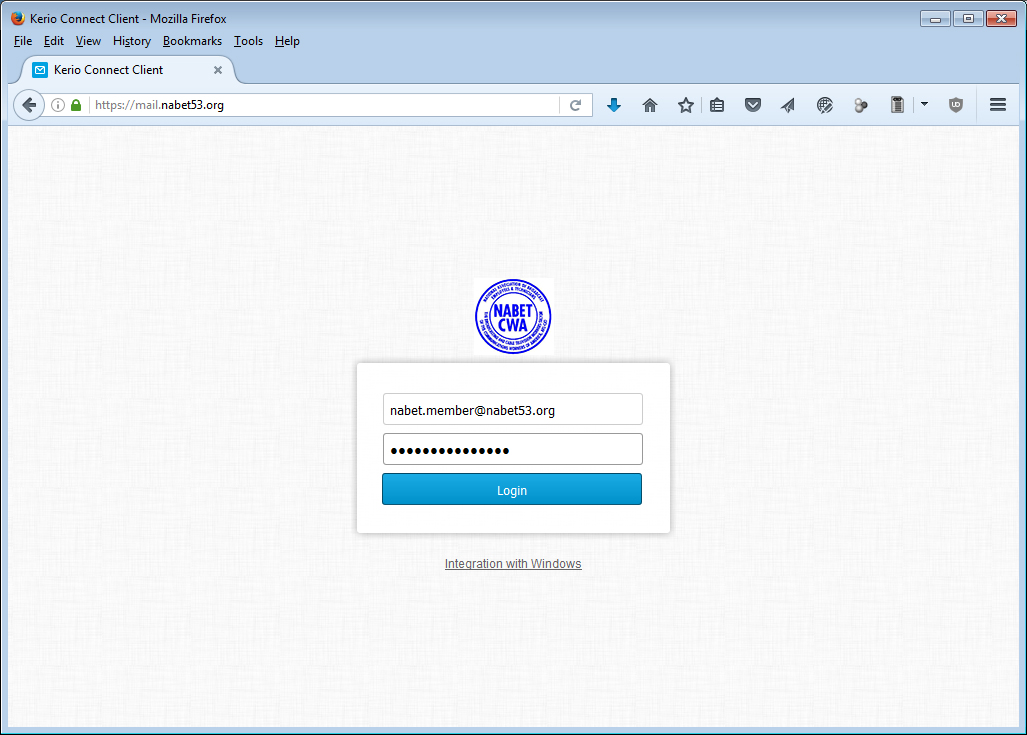
Using Chrome, Firefox, Internet Explorer or Safari, point your browser or click (on the following link) http://mail.nabet53.org. Fill in the user information as shown substituting your own personal information, then click {Login}. E-mail addresses and account login names are based upon This email address is being protected from spambots. You need JavaScript enabled to view it.. For example, mail for member Jane Smith would be This email address is being protected from spambots. You need JavaScript enabled to view it..
Trouble logging in? Account names have been created from the information NABET Local 53 has on file. Let's say the name you go by is 'Larry Smith', but the information on file is Lawrence Smith. In this example, your email address and user name would be This email address is being protected from spambots. You need JavaScript enabled to view it.. The same would be true for spouses with hyphenated married names. As an example, Mary Smith-Jones would have an email address and username of This email address is being protected from spambots. You need JavaScript enabled to view it..
Changing your Password
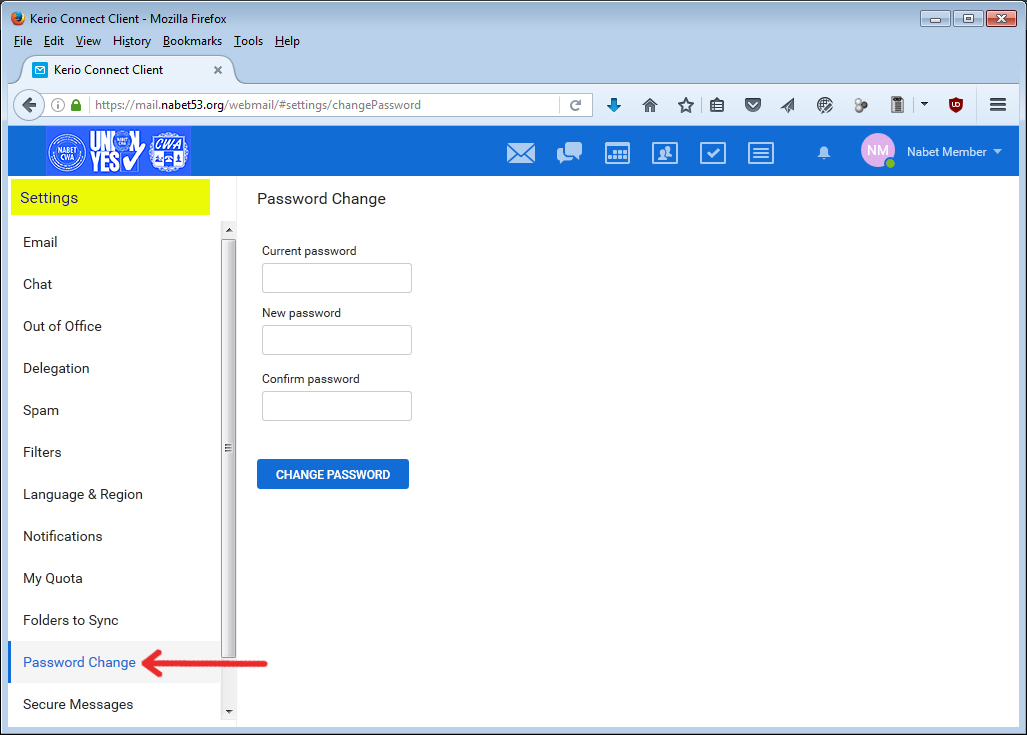
1.) Login to Webmail. Click on your username in the upper right section of the Menu Bar. Select {Settings} from the dropdown menu.

2.) Click {Password Change} from the {Settings} menu. Type in your current password, then your new password (twice), then click the {Change Password} button. Passwords must be at least (8) characters in length and must contain characters of at least three groups (lower case, upper case, numbers, symbols) and cannot include any part of your name, surname or login name. Note that passwords are case sensitive.
Forward NABET Local 53 Email to another email provider (such as Gmail, Yahoo, etc.)
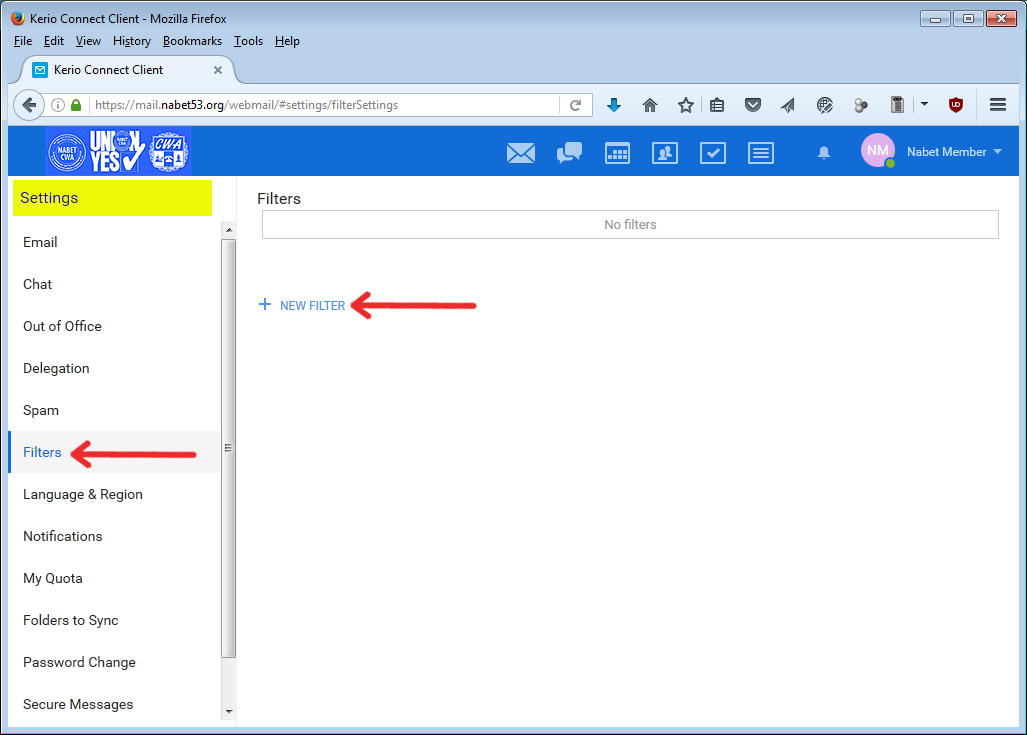
1.) Login to Webmail. Click on your username in the upper right section of the Menu Bar. Select {Settings} from the dropdown menu.
2.) From the {Settings} menu, select {Filters}, and then {New Filter}
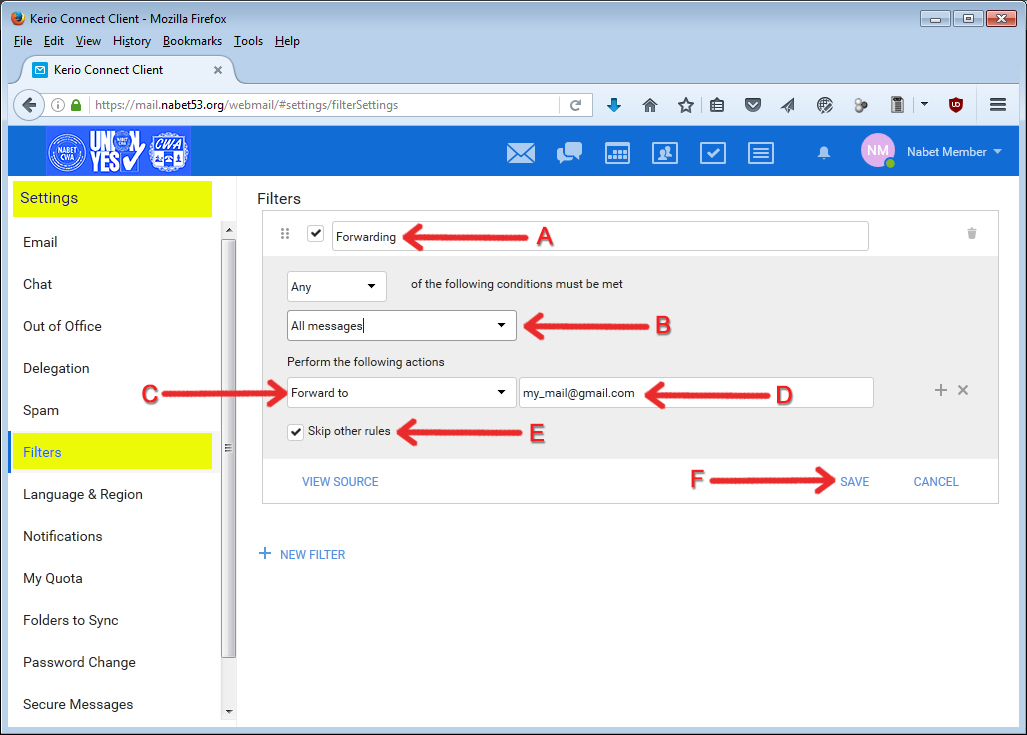
3.) Fill in the following information:
- A.) Provide a name for the filter (i.e. Forwarding)
- B.) Select {All messages} from the dropdown box
- C.) Select {Forward to} from the dropdown box
- D.) Type the email address to forward to
- E.) Click the {Skip other rules} checkbox
- F.) And finally, click the {Save} button

Latest Events
| FOX/KTTV/DISNEY FX Shop Stewards Meeting Tue, Jun 09, 6:00pm - 8:00pm |
| Executive Board Meeting Thu, Jun 11, 11:00am - 1:00pm |
| NBC Shop Steward Meeting Thu, Jun 11, 6:00pm - 8:00pm |
Featured Links